
Facetune: Hair, Photo Editor
Lightricks Ltd.Photography
4.413.34K Reviews
- Version
- 2.63.0-free
- Installs
- 50.00M
- Age Rating
- Teen
Screenshots
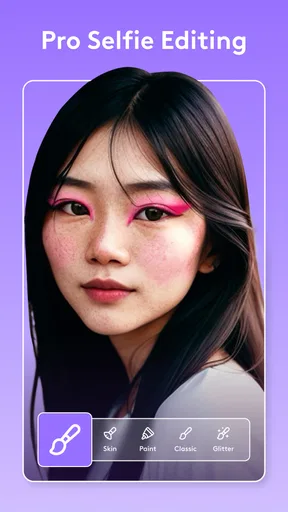
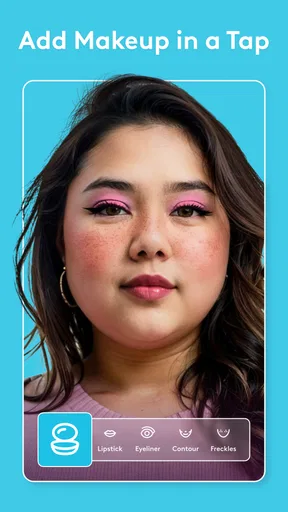
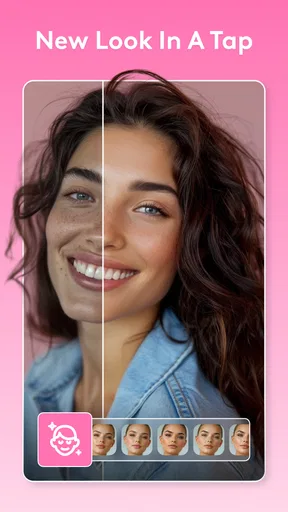
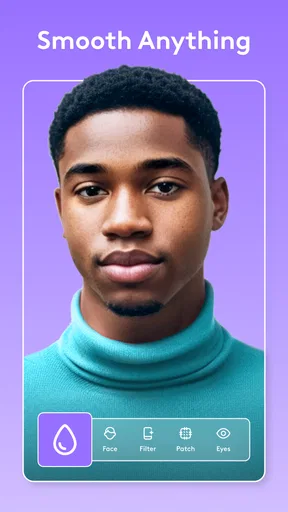
Our Review of Facetune: Hair, Photo Editor
 Analysis by Appyee
I judge a photo editor by what happens between the idea and the finished image: can I make a deliberate change, keep it believable, and leave with something I actually want to share? Facetune: Hair, Photo Editor is built around that kind of personal portrait work. It gives me a place to test a different hair color or polish a selfie without treating every edit as a full desktop-style project. That makes it appealing for casual creators, though the best results still depend on restraint and a little patience.
A portrait-focused place to begin
Made by Lightricks Ltd., this free photography app has been around since April 21, 2018, and its current version is 2.58.0-free. It is rated for Everyone, requires Android 8.0 or later, and is also available on iOS. Its scale is substantial: more than 50 million installs, an average rating of 4.4 from around 805,000 ratings, and about 13,000 written reviews. Those numbers suggest it has found a broad audience, but they do not tell you whether its editing style suits your own photos.
For me, the useful starting point is a clear portrait and one specific intention. I might want to see whether a warmer hair shade suits a profile picture, or soften a small distraction before sending a photo to friends. Facetune is more naturally suited to those focused portrait decisions than to building a layered poster, editing a large batch of product shots, or managing an entire photography workflow. If I begin with one outcome in mind, it is easier to stop before the image starts looking overworked.
Shape the edit around the original photo
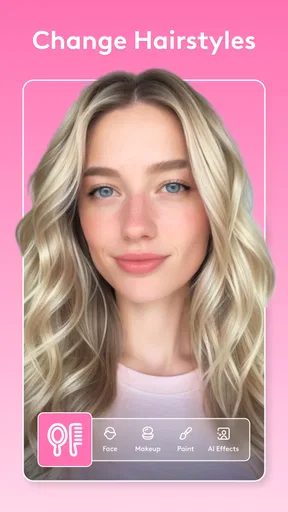
The hair tools are the distinctive reason to try it. Changing color or exploring a different style can help me visualize an idea before making a real-world commitment. I treat the preview as inspiration rather than a promise: hair has flyaways, shadows, and uneven lighting, so an edit that looks convincing in one area may be less natural around the edges. A simple, well-lit portrait gives me a better basis for judging the result than a busy image with hair blending into the background.
My practical tip is to make the biggest decision first, then add only the finishing touches the picture needs. If I am testing a new color, I avoid piling on strong smoothing and dramatic filters at the same time; otherwise it becomes hard to tell which change is helping. I also zoom in around the hairline and shoulders before I settle on an edit. Those transitions are where a bold adjustment can look artificial, even when it seems convincing at a glance.
Refine without losing your own look
Facetune also includes retouching options for skin, teeth, and makeup, alongside filters. That range is useful when I want a portrait to feel tidier while keeping it recognizable. I prefer small adjustments over a complete makeover: a little cleanup can help with a quick profile update, while too much smoothing can remove the texture that makes a face look like a real person. The freedom to experiment is a strength, but it also means I have to set my own limit.
A realistic everyday use is taking a few quick photos before heading out, then choosing one for a social profile or a message. I can test a hair tone, check whether a light touch of retouching makes the image feel more finished, and compare the result with the original before sharing. That is a low-stakes way to explore a look. For an important portrait, I would take more time, use a clean source image, and keep a version of the untouched photo so my edits remain easy to reconsider.
From experiment to shareable image
The app is aimed at edits that end in a polished portrait, rather than a complicated handoff to a professional design workflow. I would use it when the destination is a personal post, profile image, or casual share, and then check the saved result at the size where people will actually see it. Hair details that seem fine while zoomed in may read differently in a small thumbnail, while an effect that looks subtle on a phone can feel too strong when viewed more closely.
Facetune is free to download, with in-app purchases ranging from $0.99 to $199.99 per item. I would explore the available tools first and check any purchase prompt carefully before committing, especially if I only need an occasional edit. The free starting point makes it easy to see whether the workflow clicks, but the presence of paid items is worth bearing in mind if you want regular access to a wider set of options. I would not assume every tool or effect is included at no cost.
Compared with a basic gallery editor, Facetune puts more emphasis on portrait retouching and trying hair changes. That focus can save time if my goal is a selfie with a specific look. A general-purpose editor is a better fit when I mainly need cropping, exposure correction, or a consistent treatment across many kinds of images. For detailed compositing, precise masking, or work that needs dependable control over every element, I would choose a more specialized editor instead. Facetune works best when I want a direct, approachable route from portrait to personal share.
First Impressions
When I first opened Facetune: Hair, Photo Editor, I was immediately drawn to its sleek and user-friendly interface. The app is intuitive, making it a breeze to navigate even if you're not a tech wizard. Everything is laid out clearly, with easy access to all the tools and features. Whether you’re a newbie or a seasoned photo editor, you’ll feel right at home.
Features You'll Love
The app offers a plethora of features, but what truly sets it apart is its hair editing capabilities. You can try out different hairstyles, colors, and even textures without a trip to the salon. Want to see yourself with a bold red or a chic bob? It's as simple as a few taps. The results are surprisingly realistic, and you can easily adjust the intensity to suit your mood.
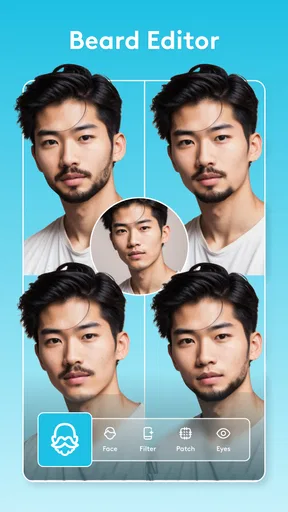
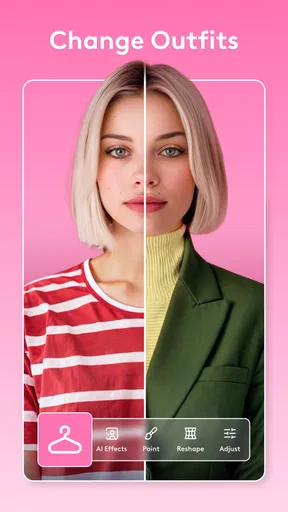
But the magic doesn't stop there. The app also boasts a variety of photo editing features. You can smooth out skin, whiten teeth, and even add a touch of makeup. It's like having a mini Photoshop right in your pocket, minus the complexity.
Getting Creative
One of the things I enjoyed most was experimenting with different looks. The app encourages creativity with its vast array of filters and effects. Whether you're going for a natural look or something more artistic, there’s something for everyone. I found myself spending way more time than planned, simply because it was so much fun to see the transformations.
For those who love sharing their creations, the app makes it effortless. With easy social media integration, you can showcase your new look to friends and followers in no time. Plus, the app supports various formats, so your photos always look their best, no matter where you post them.
Performance and Usability
Performance-wise, the app runs smoothly on both Android and iOS devices. I didn't encounter any lag or crashes, which is always a plus when you're deep into editing mode. The developers have clearly put a lot of thought into ensuring the app is stable and reliable, which is something I really appreciate.
Usability is another strong point. The app is designed for both quick edits and more detailed adjustments. If you're in a hurry, you can use the auto-edit feature and be done in seconds. But if you want to get into the nitty-gritty, the app gives you full control over every aspect of your photo.
Final Thoughts
To sum it all up, Facetune: Hair, Photo Editor is a fantastic tool for anyone who loves to play around with their photos. It’s not just about vanity; it’s about creativity and self-expression. Whether you're looking to try a new hairdo, enhance your selfies, or just have some fun, this app has got you covered.
So, if you haven’t already, give it a shot. Download it from your app store and start experimenting today. Who knows, you might just discover a new look you love!
Privacy and Permissions
See what permissions an app requests and how it handles your data.
- Phone
- read phone status and identity
- Photos/Media/Files
- read the contents of your USB storage, modify or delete the contents of your USB storage
- Storage
- read the contents of your USB storage, modify or delete the contents of your USB storage
- Camera
- take pictures and videos
- Wi-Fi connection information
- view Wi-Fi connections
- Device ID & call information
- read phone status and identity
- Other
- view network connections, full network access, run at startup, control vibration, prevent device from sleeping, Google Play license check
Verdict
Strengths of Facetune: Hair, Photo Editor
- Easy-to-use interface for quick edits.
- Wide range of hair color options.
- High-quality filters enhance photos.
- Real-time editing previews available.
- Seamless integration with social media.
Limitations of Facetune: Hair, Photo Editor
- Limited free features; many require purchase.
- Some edits appear less natural.
- Occasional app crashes reported.
- High battery consumption during use.
- Requires internet for full functionality.
Other Releases by Lightricks Ltd.
View All
Motionleap by Lightricks
Photography4.0

Lightleap by Lightricks
Photography4.0

Videoleap: AI Video Editor
Video Players & Editors4.5

Boosted Ad Maker by Lightricks
Video Players & Editors4.3
Similar Picks in This Category
View All
Google Photos
Google LLC4.4

Gallery
Google LLC4.2

Picsart AI Photo Editor, Video
PicsArt, Inc.3.9

B612 AI Photo&Video Editor
SNOW Corporation4.1

BeautyPlus-Selfie Photo Editor
PIXOCIAL TECHNOLOGY (SINGAPORE) PTE. LTD.4.5

Remini - AI Photo Enhancer
Bending Spoons4.1
Frequently Asked Questions
What features does Facetune offer for photo editing?
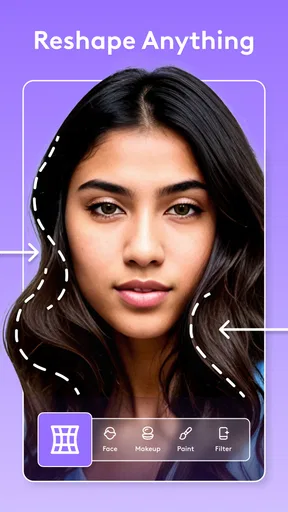
Facetune provides a comprehensive suite of photo editing tools, including skin smoothing, blemish removal, teeth whitening, and reshaping tools. It also offers hair color changes, makeup application, and background alterations. These features make it a versatile app for enhancing selfies and portraits, giving users professional-level editing capabilities right on their smartphones.
Is Facetune easy to use for beginners?
Yes, Facetune is designed with an intuitive interface that makes it accessible for beginners. The app provides tutorials and tips to guide new users through the editing process. With user-friendly controls and a straightforward layout, even those with little editing experience can achieve impressive results quickly.
Does Facetune support both Android and iOS platforms?
Facetune is available for download on both Android and iOS platforms. Users can find it on the Google Play Store for Android devices and the Apple App Store for iOS devices. This cross-platform availability ensures that a wide range of users can access and enjoy its features regardless of their device choice.
Are there any in-app purchases or subscriptions in Facetune?
Facetune offers a variety of free editing tools, but some advanced features require in-app purchases or a subscription. Users can opt for a one-time purchase or a subscription model, which provides access to all premium features. It's important to review these options to understand the costs associated with unlocking the full app experience.
How does Facetune ensure user privacy and data security?
Facetune takes user privacy and data security seriously. The app complies with industry standards to protect user information, ensuring that personal data and edited photos are secure. Users should review the app's privacy policy to understand how their data is handled and what measures are in place to safeguard their information.
